Most email standards are invisible. SPF, DKIM, and DMARC operate in the shadows of the header, silently deciding the fate of your message.
BIMI (Brand Indicators for Message Identification) is different. It is the only standard designed to be seen.
It puts your verified logo right next to your message in the inbox, acting as the “Blue Checkmark” of the email world.
But getting it to work is not a drag-and-drop exercise. It is a rigorous technical qualification. I just went through the process for my own domain architecture, and I can tell you: the barrier to entry is high on purpose.
If you want the logo, you have to earn the trust first. Here is the technical roadmap to getting BIMI working.
Phase 1: The Non-Negotiable Pre-Requisite (DMARC)
You cannot paint the house if you haven’t built the walls.
BIMI is a reward for domain security. The protocol explicitly forbids “soft” domains from participating. Before you even think about an SVG file, your domain must meet these strict criteria:
- SPF & DKIM: Must be active and passing.
- DMARC Policy: You cannot be in “monitoring” mode (
p=none).- Your DMARC policy must be set to
p=quarantineorp=reject. - If using quarantine, the percentage tag (
pct) must be 100%.
- Your DMARC policy must be set to
The Reality Check: If you are afraid to enforce DMARC on your domain, you aren’t ready for BIMI. Security comes first; branding comes second.
Phase 2: The SVG Nightmare (Tiny 1.2)
This is where 90% of implementations fail.
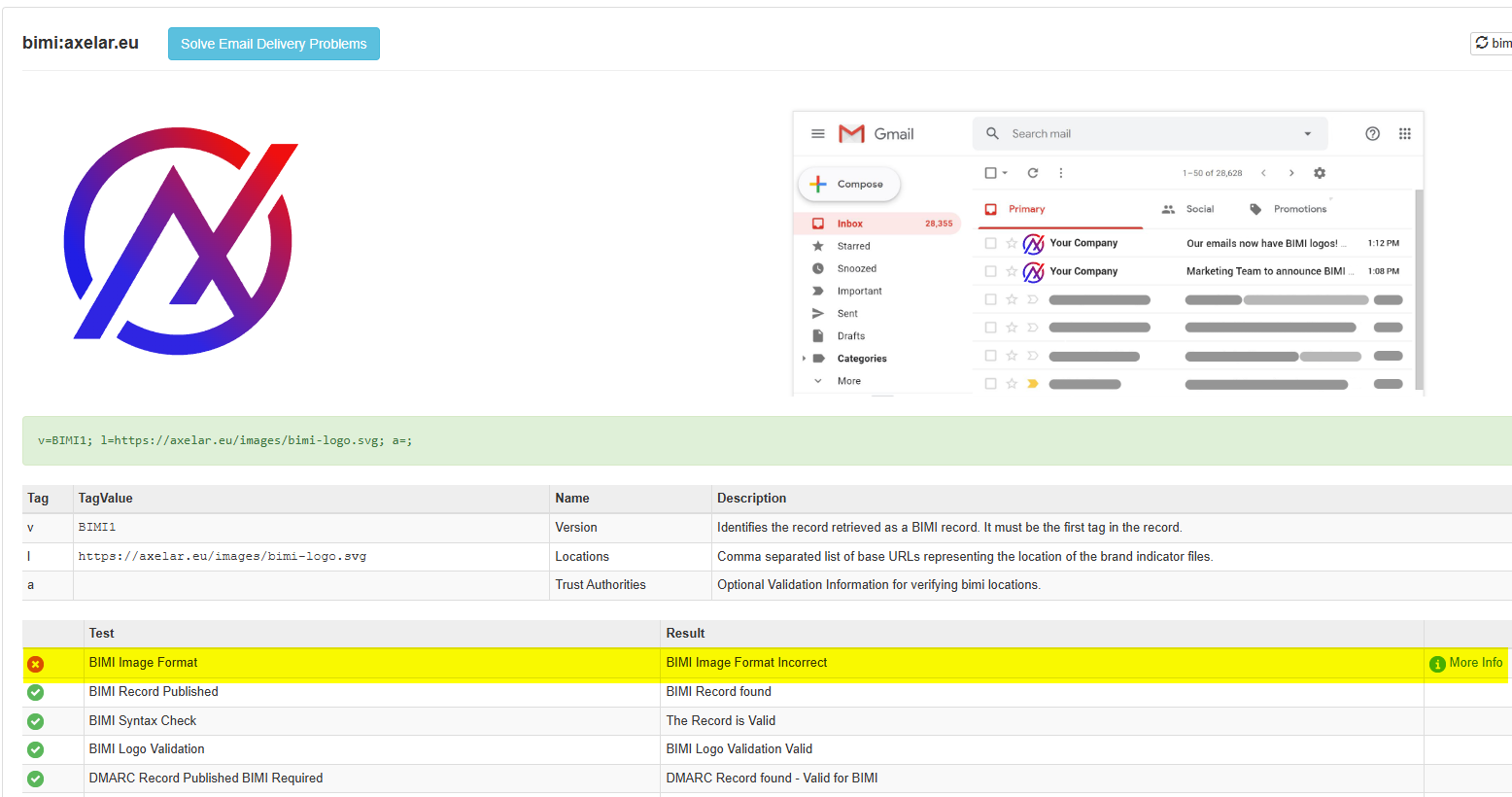
You cannot just export a logo from Canva or Illustrator and upload it. The BIMI standard requires a very specific, stripped-down version of Scalable Vector Graphics called SVG Tiny 1.2 Portable/Secure (Tiny-PS).format.
The Toolkit: Do Not Guess
If you try to hand-code this without documentation, you will fail. The syntax is unforgiving.
Here is the exact reference stack I used to validate my architecture. Do not skip these.
1. The Implementation Bible Start here. This is the official roadmap from the BIMI Group. It covers every prerequisite in detail.
2. The Conversion Tools You cannot rely on “Save As…” in standard design software. You need specific converters that strip out the junk data (scripts, x-refs) that security filters hate.
- Overview: BIMI Group SVG Tools Release
- The Code (GitHub):AuthIndicators SVG-PS Converters
- Note: This repo contains the actual Adobe Illustrator scripts and standalone apps for Windows/macOS to generate the
tiny-psprofile.
- Note: This repo contains the actual Adobe Illustrator scripts and standalone apps for Windows/macOS to generate the
3. The “Manual Override” (The Spec) If the converters fail (or if you need to debug the XML line-by-line like I did), this is the source of truth for the file structure.
- Reference: W3C SVG Tiny 1.2 Specification
Standard SVGs contain scripts, references, and metadata that email clients consider a security risk. A BIMI-compliant SVG must be “flattened” and secure.
The Code Fix: I had to manually edit the XML of my logo to pass the validation. Your SVG header must look exactly like this:
<?xml version="1.0" encoding="utf-8"?>
<svg version="1.2" baseProfile="tiny-ps" xmlns="http://www.w3.org/2000/svg" viewBox="0 0 800 800">
  <title>Your Company Name</title>
  </svg>
Critical Technical Constraints:
- No external links: You cannot reference fonts or images hosted elsewhere.
- No Scripts:
<script>tags will cause immediate validation failure. - Square Aspect Ratio: The canvas must be 1:1.
- Solid Background: Transparency is often unpredictable; a solid background color is recommended.
Phase 3: The “Verified” Paywall (VMC)
There are two ways to publish BIMI. You need to decide which game you are playing.
1. Self-Asserted (The “Ready” State) You publish the record with your logo, but without a cryptographic certificate.
- Cost: Free.
- Result: Your logo will likely appear in Yahoo, AOL, and some enterprise inboxes. It will NOT appear in Gmail. Gmail requires the certificate.
- Value: It signals to security scanners and sophisticated peers that your domain is technically mature.
2. Certified (The “VMC” State) You purchase a Verified Mark Certificate (VMC) from a Certificate Authority (like DigiCert or Entrust).
- Cost: ~$1,500 / year.
- Requirement: You must have a registered trademark for your logo (e.g., EUIPO, USPTO).
- Result: The logo appears in Gmail, often accompanied by a verified checkmark icon.
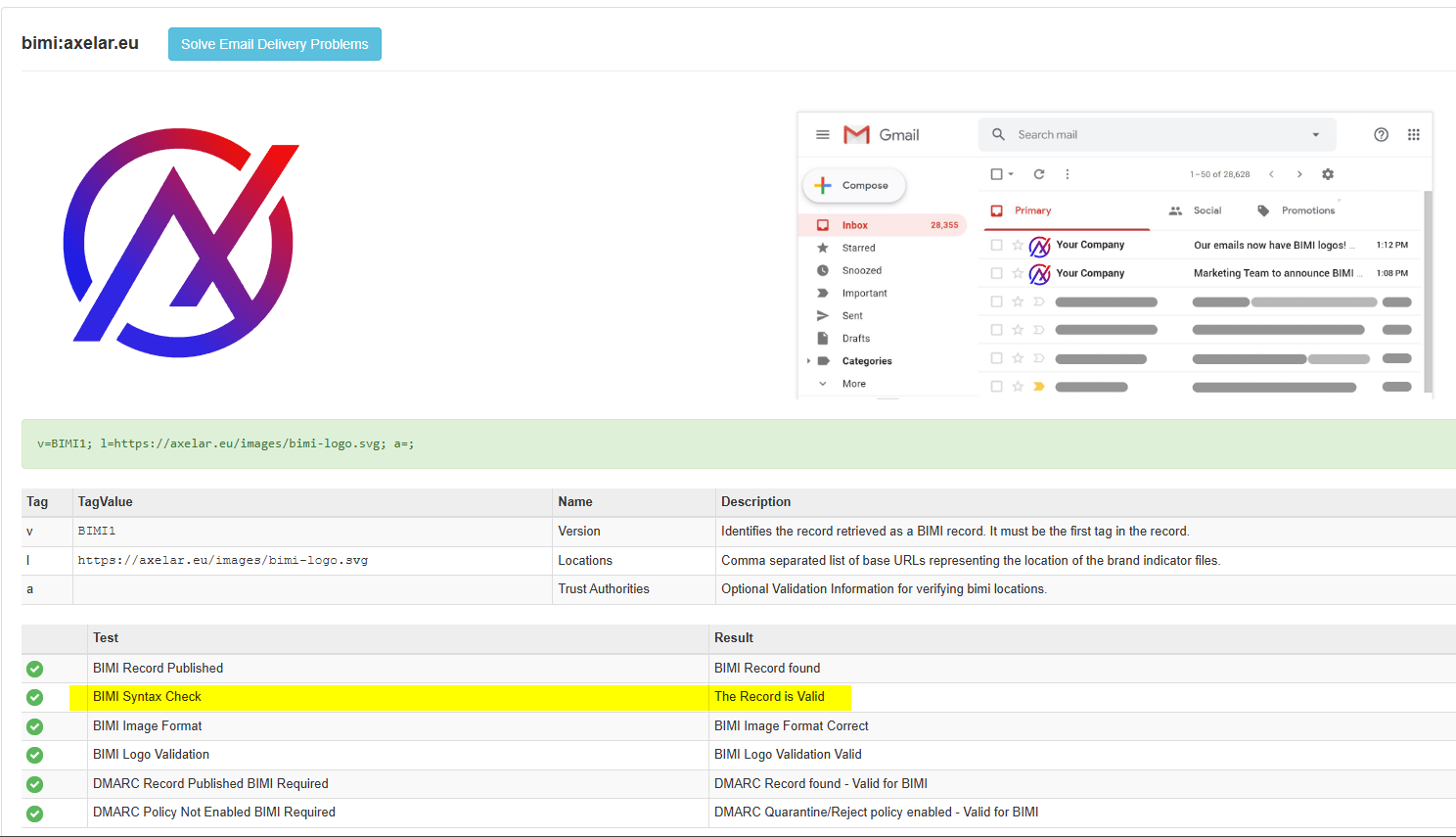
My Approach: Start with Self-Asserted. Get the infrastructure right (Phase 1 & 2). Ensure the SVG is valid. Then, decide if the Gmail visibility is worth the VMC investment.
Phase 4: The DNS Record
Once your DMARC is strict and your SVG is hosted on a secure server (HTTPS), you publish the DNS record.
Host: default._bimi Type: TXT Value (Self-Asserted):
v=BIMI1; l=https://yourdomain.com/images/bimi-logo.svg; a=;
Note: The a=; tag is where the VMC url would go. Leaving it empty tells the world “I am self-asserting this identity.”
Final Verdict
Implementing BIMI is not just about vanity; it is a forcing function for security hygiene. To get the logo, you are forced to clean up your email infrastructure, enforce strict DMARC, and sanitize your brand assets.
When you see a logo in your inbox, know that the sender didn’t just upload a JPEG. They engineered a chain of trust.
Need to audit your domain? Start by checking your DMARC policy. If it’s not at p=reject, BIMI is off the table.