From my live presentation on fmTraining.tv
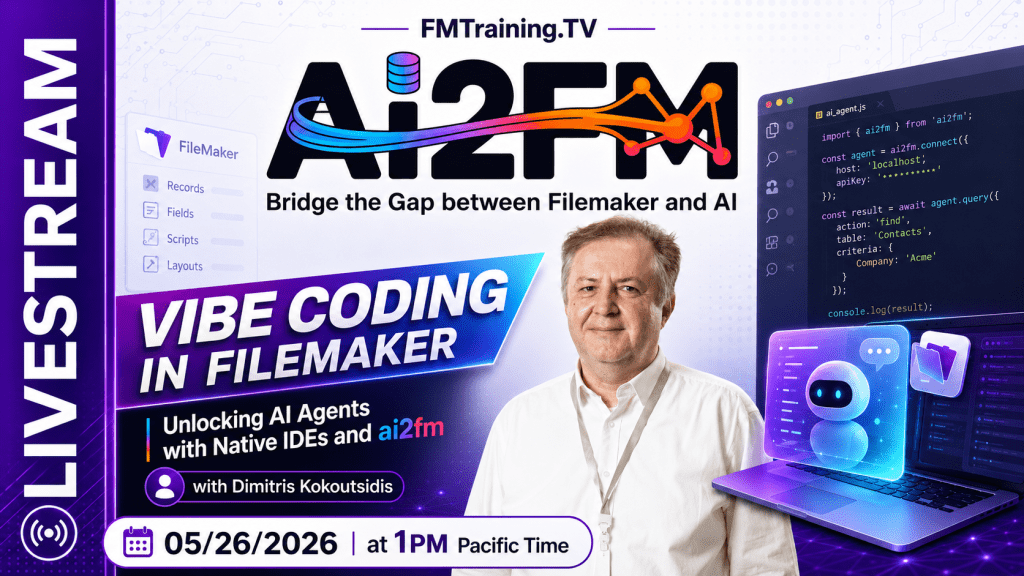
I recently had the pleasure — and the pressure — of presenting ai2fm and fmscript.org live on fmTraining.tv with Richard Carlton and Margaret.
It was not a polished slide-only presentation. It was a working demonstration. We opened real tools, asked real AI models to write real FileMaker scripts, inspected the results, corrected them, transformed them, pasted them back into FileMaker, and talked honestly about what works, what fails, and what still needs to be built.
The subject was “vibe coding in FileMaker,” but the deeper subject was bigger than that.
It was about whether FileMaker can enter the new AI-assisted development world without losing its precision, its safety, and its identity.
My answer is yes — but not by pretending that general-purpose AI already understands FileMaker.
It does not.
Not yet.
And that is exactly why we need a standard.
The central problem: AI does not understand FileMaker by default
The first point I wanted to make was uncomfortable but necessary.
Today’s large language models can produce very convincing FileMaker-looking output. That does not mean they understand FileMaker.
During the session I gave the same task to several major AI systems:
Write a FileMaker script that creates 1,000 records in my table
minefield, using FileMaker transactions and error trapping.
The models included Claude, ChatGPT, Gemini, Microsoft Copilot, Mistral, DeepSeek, Kimi, Z.ai, and Perplexity.
Every result was wrong.
Not visually wrong. Not obviously broken at first glance. That would almost be safer.
They were plausibly wrong.
That is the dangerous category.
The common failure was simple: the models reasoned from SQL and traditional RDBMS transaction assumptions. They produced logic that might feel reasonable in another database environment, but it was not correct for FileMaker’s transaction model.
One output placed error trapping after the commit. Another produced an Exit Loop If without a meaningful condition. Others created structures that looked confident but would not behave correctly in a real FileMaker solution.
This is the trap.
The problem is not that AI is useless for FileMaker. The problem is that AI without FileMaker context is guessing.
And guessing is not engineering.
The point is not “AI is bad”
I want to be very clear about this.
I am not saying that AI tools “suck.”
That would be the lazy conclusion.
The real conclusion is this:
If we do not teach the AI what FileMaker expects, it will invent an answer from nearby patterns.
That is exactly what humans do as well.
If you take a smart person and give them no domain training, they will still try to reason from what they already know. Sometimes that works. Sometimes it creates elegant nonsense.
AI behaves the same way.
So the solution is not to reject AI. The solution is to educate it.
Inside my development environment, the agent did know FileMaker. It had been given the correct FileMaker context. It knew the scripting model. It knew the expected transaction structure. It knew the difference between looking correct and being correct.
When I gave it the flawed script, it identified the problem. When I asked it to write a corrected version, it produced a fully documented script, with proper transaction structure, one commit, error trapping around the commit, and a clear success or error path.
That is the difference between raw AI and educated AI.
One guesses.
The other works inside a known frame.
The old wall: correct text, manual retyping
For years, FileMaker developers have had a practical problem.
We can discuss scripts as text. We can document scripts as text. AI can generate scripts as text. Developers can review text.
But FileMaker Script Workspace does not accept ordinary script text.
So even if an AI gives you a correct FileMaker script, you hit the old wall:
You still have to retype it manually into FileMaker.
That means clicking script steps, setting arguments, checking options, and rebuilding what already exists in text.
For a small script, this is annoying.
For a 235-line script, it is wasted time.
For a large agency or a legacy solution with hundreds of scripts, it becomes absurd.
This is the wall ai2fm was built to remove.
The live demo: from AI text to FileMaker Script Workspace
In the demo, the process was deliberately simple.
The AI produced the corrected script as text in the editor.
Then I selected the script, triggered the ai2fm transform, opened FileMaker, created a new script, and pasted.
The script appeared inside FileMaker Script Workspace.
Not as a comment.
Not as plain text.
As real FileMaker script steps.
The only expected issue was that FileMaker cannot magically know fields that do not exist in the target file. That is normal. But the script structure itself was transformed correctly.
That moment matters.
Because the workflow changes from this:
AI writes script → developer retypes script manually into FileMaker
to this:
AI writes script → developer reviews script → ai2fm transforms it → FileMaker receives it
That is not a cosmetic improvement.
That is a new development loop.
Why XML is the hidden tax
The FileMaker Script Workspace stores script steps as XML.
That is the real artifact under the hood.
When you copy FileMaker script steps and inspect what is actually on the clipboard, you are not dealing with the clean script text you see visually. You are dealing with verbose XML.
That XML is useful. It carries structure. It carries options. It carries details.
But it is not a pleasant format for humans.
And it is not economical for AI workflows.
Why?
Because AI providers charge by tokens. The more text you send, the more you pay. XML is much larger than clean script text, so sending XML to an AI model is like shipping a truck full of scaffolding when all you needed was the building plan.
In the session, one script in clean text was roughly 2,573 tokens. The same script as XML was several times larger. The cost difference for one iteration may look small, but multiply it by real development behavior:
Ten developers.
Many scripts.
Many iterations per day.
Review, correction, documentation, refactoring, testing.
Suddenly the XML tax becomes real money.
And worse, the model is not only receiving more tokens. It is receiving noisier tokens.
Clean text is better for humans and better for AI.
The correct workflow is not to make AI read FileMaker XML all day.
The correct workflow is to give AI a deterministic, readable FileMaker text representation — then transform that representation back into FileMaker’s real Script Workspace XML when needed.
That is the bridge.
Fidelity matters more than appearance
A partial bridge is not enough.
A converter that handles common steps but misses options is dangerous.
A tool that works for simple scripts but fails on complex steps creates false confidence.
This is why ai2fm was built around a master script containing every FileMaker script step variation, every parameter, and every argument we could validate.
The goal was not “mostly works.”
The goal was deterministic transformation.
Text to FileMaker.
FileMaker to text.
Across all FileMaker locales.
With full awareness that FileMaker is not only English.
The localization problem nobody can ignore anymore
FileMaker has been localized for many years.
That made perfect sense commercially. A French developer could work in French. A Japanese developer could work in Japanese. A German developer could work in German.
But AI changes the equation.
If an AI model sees a FileMaker script written with localized Japanese, French, German, Polish, or Russian script step names, it may not even recognize it as FileMaker.
That is not the fault of the local user.
It is a structural problem.
The world of AI-assisted development needs one canonical representation.
This does not mean FileMaker should stop supporting localized user interfaces. Localization is useful. Developers should still be able to work in their preferred UI language.
But the script standard used for AI, editors, extensions, documentation, and transformation must be universal.
That is why fmscript.org exists.
The idea is simple:
One standard English FileMaker script representation as text, regardless of the local FileMaker UI language.
A French user can copy from a French FileMaker environment. A Japanese user can copy from a Japanese FileMaker environment. The transformation normalizes the script into the same canonical text form.
Then AI can reason about it.
Then tools can process it.
Then it can go back into FileMaker and render again in the user’s own local UI.
Localized names become boundary data.
The standard remains universal.
fmscript.org: a standard, not a product page
ai2fm is the commercial product.
fmscript.org is the standard layer.
That distinction matters.
The FileMaker community needs a textual grammar that is not owned by one editor, one AI model, or one commercial tool.
We already have examples of why this matters. Many FileMaker tools have historically relied on the DDR, especially the HTML representation of scripts. The DDR has been useful, but it was never designed to become a full-fidelity AI-era script standard.
Some script steps expose the problem clearly. Go to Related Record is one of the best examples. The visible DDR-style representation does not carry all the meaning a developer, a tool, or an AI agent needs to reconstruct the step safely.
That is not a criticism of the tools that used the DDR.
They used what was available.
But the AI era requires more.
A script standard must be readable enough for humans, strict enough for machines, and complete enough for round-trip transformation.
That is the role of .fmscript.
The free editor: FileMaker inside VS Code-compatible environments
Another important part of the presentation was the editor experience.
The goal is not only to let AI write scripts.
Some developers still want to write scripts themselves.
That should be possible too.
The free extension brings FileMaker scripting into VS Code-compatible editors such as VS Code, VS Codium, Cursor, Windsurf, Gravity, Kiro, and similar environments.
In the demo, I created a new FileMaker script text file and started typing.
A transaction block could be scaffolded from a short snippet.
A loop could be inserted.
An If structure could be inserted.
In a few keystrokes, the editor produced a correct FileMaker script skeleton with transaction, loop, and conditional structure.
Then we looked at editor features FileMaker developers have wanted for years:
- fold a loop
- fold an
If - fold an entire transaction block
- format a pasted script
- convert complex steps between single-line and multi-line representation
- access FileMaker help for script steps and functions inside the editor
This matters because younger developers already live in these tools.
They do not think of extensions as strange. They expect them.
For them, an extension is what a plugin used to be for us.
And if FileMaker wants to meet the next generation, it has to appear where the next generation already works.
The generational problem in the FileMaker community
At FileMaker conferences, especially in Europe, we often see the same familiar faces.
That is good in one sense. It means the community is loyal.
But it is also a warning.
Where is the new generation?
Young developers spend years in university and early work using text-based tools. They learn JavaScript, Python, Node.js, npm, Git, VS Code, Cursor, and agentic development workflows.
Most of them have never heard of FileMaker.
Then they see our world: Script Workspace, clicking steps, selecting arguments, moving through modal dialogs.
To us, this is normal.
To them, it looks like another planet.
The solution is not to shame the old way. The old way built serious systems for decades.
But the solution is also not to pretend nothing has changed.
We need a bridge.
For experienced FileMaker developers, the bridge must be gentle: clear onboarding, step-by-step instructions, no unnecessary complexity.
For younger developers, the bridge must be native to their world: text, editors, AI agents, documentation, autocomplete, and deterministic tooling.
That is the mission.
Not to replace FileMaker.
To make FileMaker visible again.
AI is a multiplier — for good and for stupidity
One of the most important points in the conversation was this:
AI is a multiplier.
It can multiply the ability of a careful developer.
It can also multiply the damage caused by a careless one.
If a developer understands FileMaker, checks the output, tests the logic, and uses AI as an assistant, the productivity gain can be enormous.
But if a developer copies AI output blindly into production, the result can be dangerous.
I have been burned by this too.
There is a moment when an AI seems good enough that you start trusting it too much. Then production reminds you that confidence is not correctness.
That is why the workflow must include verification.
AI can write.
AI can document.
AI can review.
But the developer remains responsible for truth.
This is especially important in FileMaker, where solutions often run critical business workflows, legacy processes, financial operations, manufacturing systems, and customer data.
Fast nonsense is still nonsense.
The point is not to move faster blindly.
The point is to move faster with structure.
Automated documentation may be the immediate killer feature
One of the most practical demos was documentation.
Many FileMaker systems have scripts that work, but nobody remembers why.
The original developer left.
The business logic lives in someone’s head.
The comments are minimal or missing.
A new developer opens the solution and has to reconstruct the system mentally.
This is expensive.
During the session, we used a real-world script as an example. The point was not to criticize that specific file or product. The point was to show a common FileMaker reality: important scripts often carry too little explanation.
With the AI/editor/ai2fm workflow, a script can be transformed to text, documented by an agent, reviewed by the developer, transformed back, and pasted into FileMaker as a fully documented script.
That alone can justify the workflow for many teams.
Because legacy documentation is one of the most expensive things to do manually — and one of the easiest places for AI to help, provided the script representation is clean and deterministic.
What is free, and what is paid?
Richard pressed this point hard during the session, and rightly so.
So here is the clean answer.
The editor extension is free.
That includes the FileMaker text editing experience: snippets, syntax handling, folding, formatting, inline help, and the basic environment that makes VS Code-compatible editors usable for FileMaker scripting.
The paid component is the transformation engine.
That is the bridge that converts:
FileMaker script text → FileMaker Script Workspace XML
and:
FileMaker Script Workspace XML → FileMaker script text
That is the hard part.
That is the part that took serious engineering.
That is the part that makes the workflow reliable.
The pricing presented was simple:
- free 21-day trial
- unlimited transformations during the trial
- $120 per year for one professional user
- effectively $10 per month
The price was chosen deliberately. It needs to be accessible to solo developers, not only agencies and enterprise teams.
What exists today, and what comes next
The presentation showed only part of the work.
The current focus is script transformation and editor workflow.
The next layers are bigger.
Schema awareness is one of them. That means the environment will eventually understand table occurrences, fields, and solution structure, so agents can work with the actual schema rather than generic placeholders.
Layout visualization is another. FileMaker XML can describe layouts, but raw layout XML is not something humans or AI models should be expected to edit directly. It needs to become visual, structured, and tool-friendly.
That is where the roadmap goes next.
Script text is the first bridge.
Schema and layouts are the next frontier.
Why this matters for Claris and the FileMaker ecosystem
Claris is also moving toward AI-assisted FileMaker development.
That is good.
But the community should not wait passively for a single official implementation to define the entire future.
FileMaker needs an open textual standard for scripts.
It needs editor integration.
It needs AI-friendly representations.
It needs deterministic transformation.
It needs tooling that works today, while also pushing the platform toward tomorrow.
This is not anti-Claris.
It is pro-FileMaker.
A healthy ecosystem does not depend on one tool, one vendor, one IDE, or one model.
A healthy ecosystem has standards.
That is what fmscript.org is trying to establish.
The real thesis
The talk was about ai2fm, yes.
But the deeper thesis was this:
FileMaker cannot enter the AI era through screenshots, vague prompts, and raw XML.
It needs a proper textual representation.
It needs deterministic transformation.
It needs educated agents.
It needs editor-native workflows.
It needs a bridge between the developers who built the FileMaker world and the developers who might inherit it.
Without that bridge, FileMaker remains isolated from the modern development environment.
With that bridge, FileMaker becomes scriptable, reviewable, documentable, teachable, and AI-ready.
That is the real point.
Burn the ships
At the end of the session, the phrase was simple:
Burn the ships.
Not because the past was bad.
The past carried us here.
But because the old workflow cannot be the only workflow anymore.
The FileMaker community has decades of experience, business logic, client trust, and working systems. That knowledge is valuable. It should not be abandoned.
But it must be translated into the tools and habits of the next generation.
That is what ai2fm is trying to do.
That is what fmscript.org is trying to formalize.
Move FileMaker out of isolation.
Give it a text standard.
Give it an AI-ready workflow.
Give it a place inside the agentic IDE world.
And then let the next generation discover that FileMaker was never the toy they were told it was.
It was a powerful platform waiting for the right bridge.
0:00 Intro & Richard’s “Helicopter” Arrival
3:58 Who is Dimitris? (Engineering, Cyber Security, & FileMaker)
6:16 The Localization Barrier: 16 Localized FileMaker Languages vs. AI
8:36 The Solution: fmscript.org (The Global Standard)
9:12 The Evolution of Failure: First-Gen AI vs. Today’s Untrained Models
10:04 Testing the Big Players (Claude, ChatGPT, Gemini, Copilot)
14:14 The Core Thesis: “Unless we tell them what we expect, they will suck”
14:52 Live Demo: Vibe-Coding a Flawless Script in VS Code
19:46 ai2fm Magic: Pasting AI Text directly into Script Workspace
21:26 The Financial Reality: Token Costs of Text vs. Raw XML
25:56 The “Master Script” Test ($0.70 in text vs $11.00 in XML)
28:54 ai2fm Pricing & 21-Day Free Trial
31:58 Bridging the Generational Gap in Development
34:09 Frictionless Onboarding: Step-by-Step into VS Code
37:06 Multi-Agent Workflows & Instant Legacy Documentation
43:38 Manual IDE Coding Features (Code Folding, Formatting, FM Help)
51:46 Why the DDR and XML 1.0 Fall Short
56:24 Using XSLT for 100% Reliable XML Transformations
58:00 Q&A: Schema Integration & Using Free AI Agents
1:07:56 “Burn the Ships” – Embracing the Future of FileMaker